
Local models
StrideAI has no server of its own: the chat runs in your browser inside Azure DevOps and calls the model endpoint you configure. With a local runtime that speaks the OpenAI API, nothing leaves your computer except the Azure DevOps calls you already make.
Pick a runtime
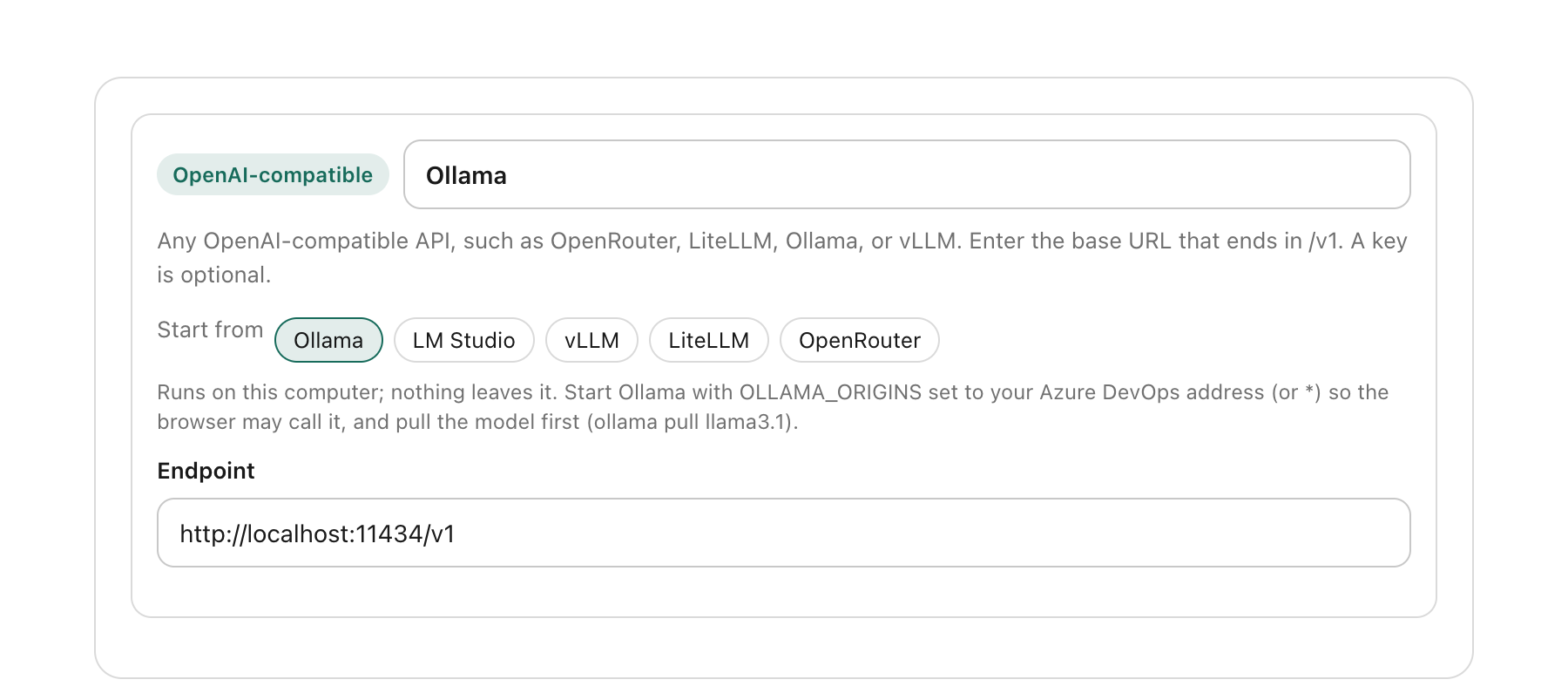
Section titled “Pick a runtime”Settings → Models → Add connection → OpenAI-compatible API, then press one of the Start from chips. The endpoint and a starter model are filled in, and the note tells you the one switch each runtime needs.
| Runtime | Endpoint | Notes |
|---|---|---|
| Ollama | http://localhost:11434/v1 |
ollama pull llama3.1 first; the model name is the tag you pulled. |
| LM Studio | http://localhost:1234/v1 |
Start the local server in the Developer tab and turn CORS on; use the loaded model’s ID. |
| vLLM | http://localhost:8000/v1 |
Start with --allowed-origins for your Azure DevOps address. |
| LiteLLM | http://localhost:4000/v1 |
A gateway: keys and limits live in its config; use the model name LiteLLM knows. |
Only localhost and 127.0.0.1 may use plain http://; every other endpoint must be https://.
Let the browser call it
Section titled “Let the browser call it”The chat page is served by Azure DevOps, so the browser asks the local server for permission (CORS) before every request:
- Ollama:
OLLAMA_ORIGINS=https://dev.azure.com ollama serve(or*while you try it out). On macOS the app readslaunchctl setenv OLLAMA_ORIGINS https://dev.azure.com. - LM Studio: Developer → Server settings → Enable CORS.
- vLLM:
--allowed-origins '["https://dev.azure.com"]'. - LiteLLM: CORS is on by default.
Use Test next to the model; it sends a one-word question and shows the exact error when the server refuses. Some browsers ask once before letting a public site call a local address; allow it and it is remembered.
What to expect
Section titled “What to expect”- Tools work when the model supports function calling. Llama 3.1, Qwen 2.5, Mistral and Gemma 2 instruct variants do; very small models often ignore tools, so start at 7–8B parameters.
- Mark the model Fast or Advanced like any other; Auto uses it accordingly.
- Why this answer shows Sent to: a model on this machine.
- Images attached to a question need a model with vision support.
- Usage shows token counts when the runtime reports them; set the prices to 0.
A team can run one shared runtime on a server in its own network (vLLM or LiteLLM on https://models.internal.example) and add it as one connection with a shared key. Safety settings, approvals and secret redaction apply unchanged.