Knowledge and wiki search
Tell StrideAI which wiki pages and repository folders are the team’s reference under Settings → Knowledge: architecture pages, process guides, decision records, runbooks. For questions about how the team works, its standards, or what was decided, StrideAI searches those sources first, right in the browser, and answers with quoted passages and links to the pages.
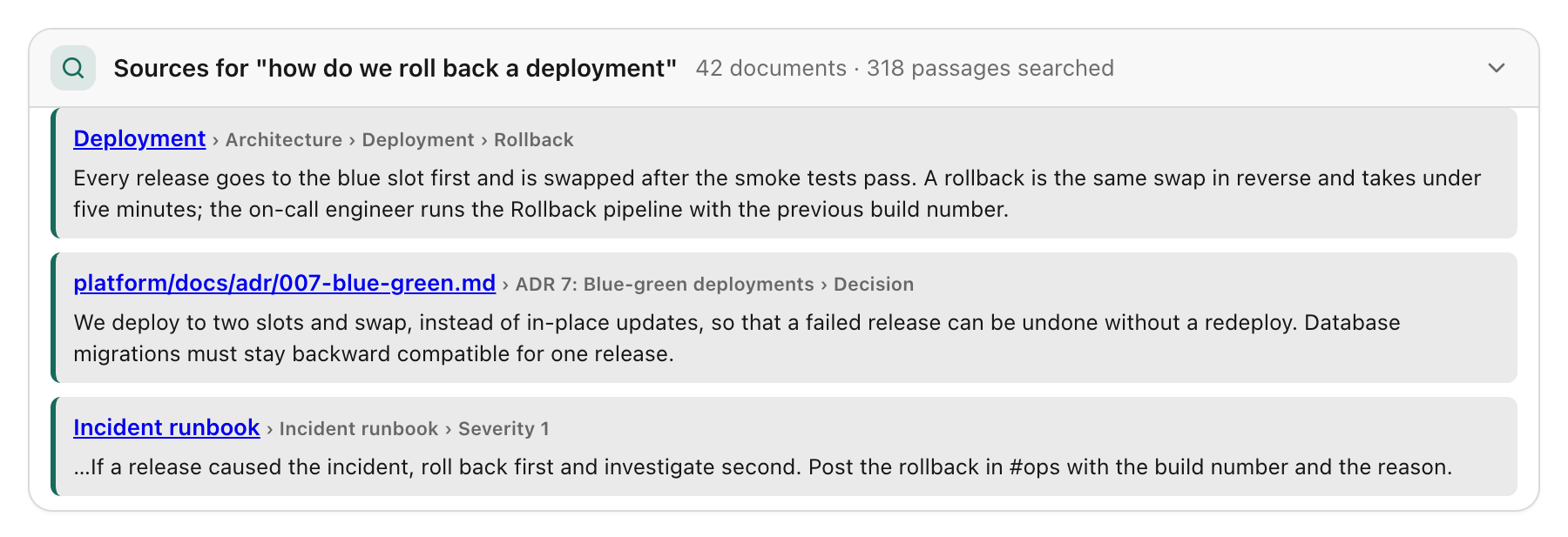
- Nothing is sent anywhere to be indexed, and it works with every model connection.
- When the sources do not cover a question, StrideAI says so instead of guessing.
- For documents whose content is not in the project yet, such as an SOP or runbook, StrideAI interviews you first and writes the document from your answers and the sources.
Wiki search
Section titled “Wiki search”search_wiki reads every page of the project wiki by content, not just by title. The wiki is read from its Git repository once, kept in the browser, and only changed pages are read again, so a search takes milliseconds.
Pick an embedding model under Settings → Knowledge (any OpenAI-compatible connection) and passages are embedded once, stored compactly in the browser, and ranked by meaning as well as keywords, so a paraphrase still finds the page. Nothing is sent anywhere but your own model.
Teach it how your team works
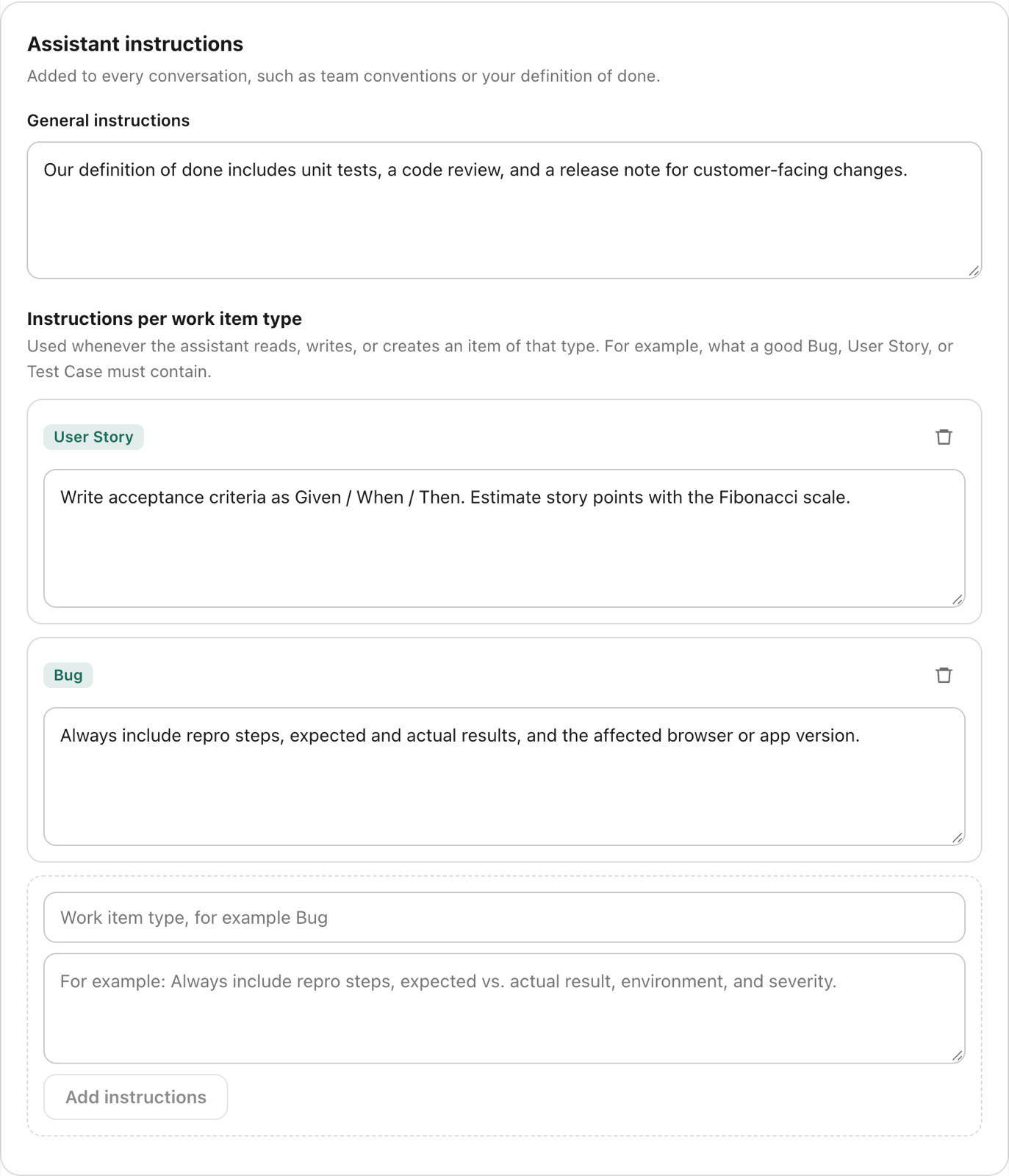
Section titled “Teach it how your team works”Under Settings → Instructions, add general instructions such as your definition of done and instructions per work item type. They apply to every conversation.
StrideAI also saves short notes about how your team works, such as which repository holds which feature; see Activity log and memory.