
Documents and templates
Reports and documents in your template
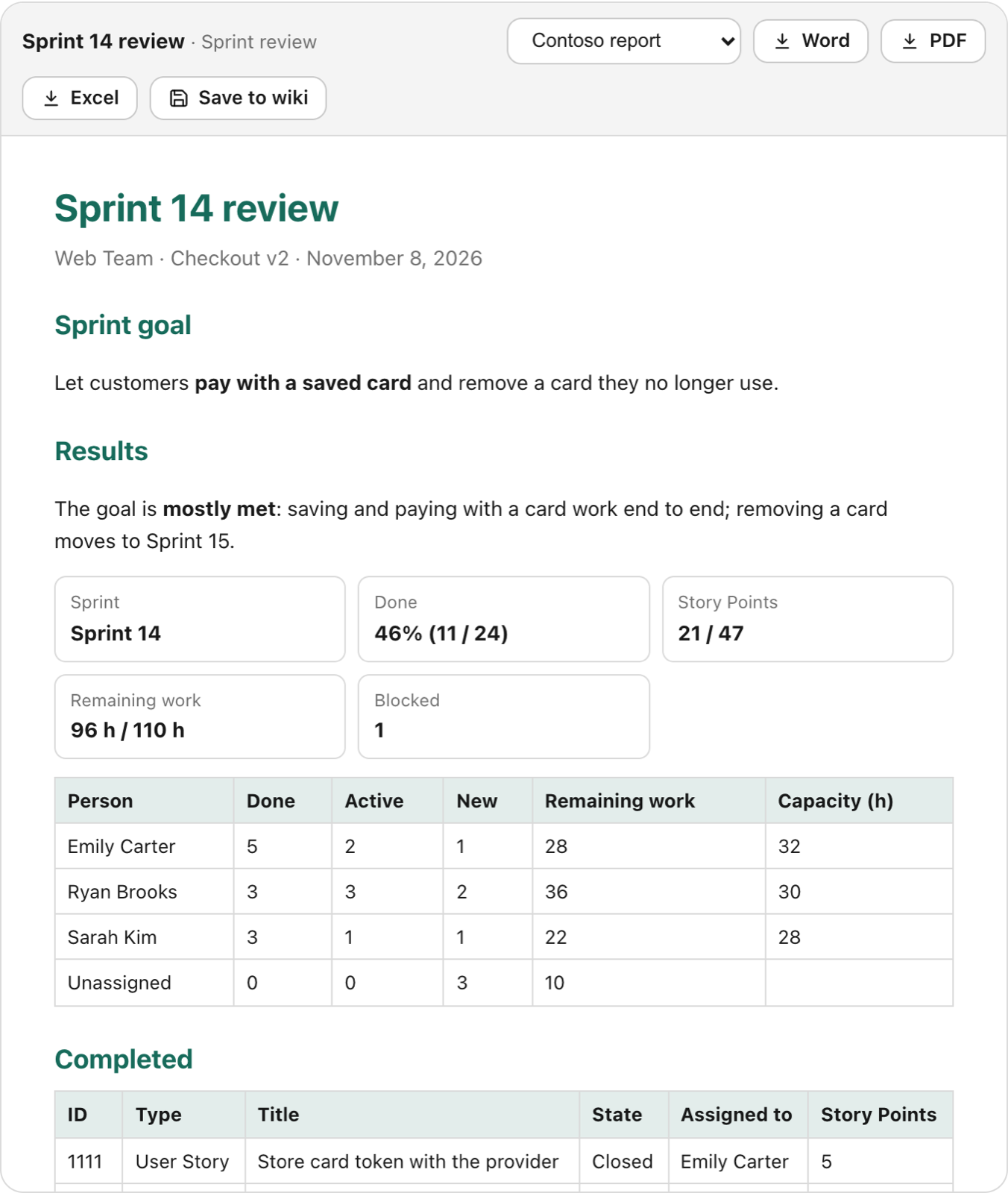
Section titled “Reports and documents in your template”Ask “Prepare the Sprint 14 review as a document with the burnup” or “Write the monthly status report for the PMO”. StrideAI writes the text, and the tables, key figures and charts come straight from Azure DevOps: the sprint’s results, any query, test results, a release’s changes, or any chart from the chat. Preview the document in the chat, then:
- Download Word in the StrideAI style or in your company’s own Word template, with charts as images.
- Download PDF through the print window, or Excel with one sheet per table.
- Save to the wiki with the charts.
Built-in templates cover status reports, sprint reviews, retrospective summaries, release notes, requirements specifications, traceability and test execution reports.
Your own Word templates
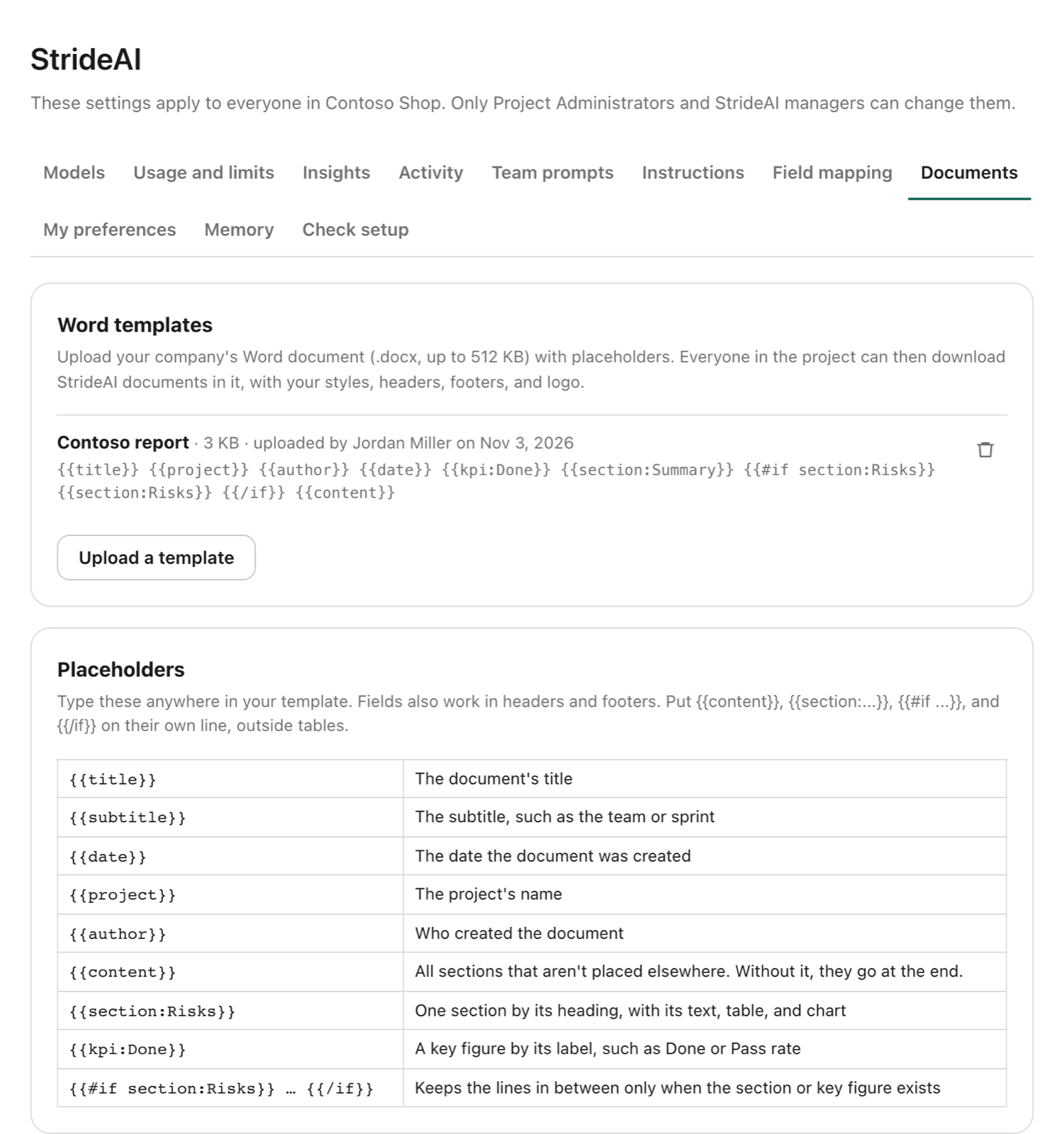
Section titled “Your own Word templates”Administrators upload Word templates under Settings → Documents. Placeholders such as {{title}}, {{date}}, {{kpi:Done}}, {{section:Risks}} and {{#if section:Risks}} put each part where your template wants it, and your styles, headers, footers and logo stay as they are.
Documents keep their versions
Section titled “Documents keep their versions”Every generated document is kept as a version in the project. Ask for this week’s status report and the card says Version 4 · 3 earlier; open last week’s or see what changed with the differences marked.
Documents from your own knowledge
Section titled “Documents from your own knowledge”For documents whose content is not in the project yet, such as an SOP or runbook, StrideAI interviews you first and then writes the document from your answers and the sources under Knowledge.