
Usage, limits and requests
Usage and cost
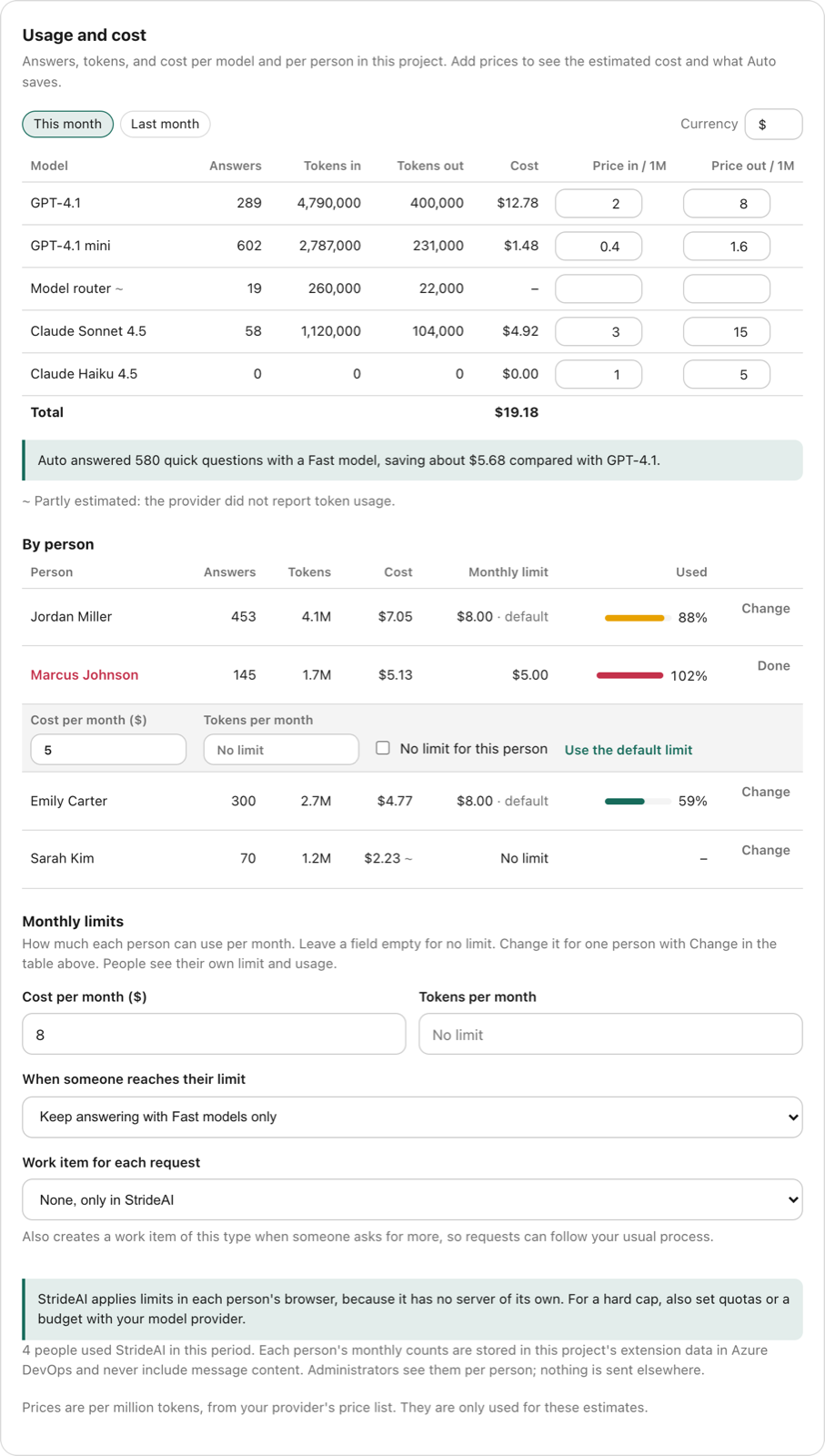
Section titled “Usage and cost”Settings → Usage and limits shows how many answers and tokens each approved model used and what each person used and cost, this month and last month. Add the prices from your provider’s price list to estimate the cost and to see how much Auto saved.
Personal limits
Section titled “Personal limits”Set a monthly limit in cost, tokens or both: one default for everyone, a different limit for some people, or none for others. When someone reaches their limit, StrideAI either keeps answering with Fast models only or stops until next month, as you choose. Everyone sees their own usage and limit in the header pill and gets a notice at 80%.
Team limits
Section titled “Team limits”Add a monthly budget per Azure DevOps team, on top of personal limits. Each person’s usage counts toward one team only, so someone in several teams never uses up more than one team’s budget; you choose the team for people in more than one. When a team reaches its limit, everyone in it gets Fast models only or a pause until next month.
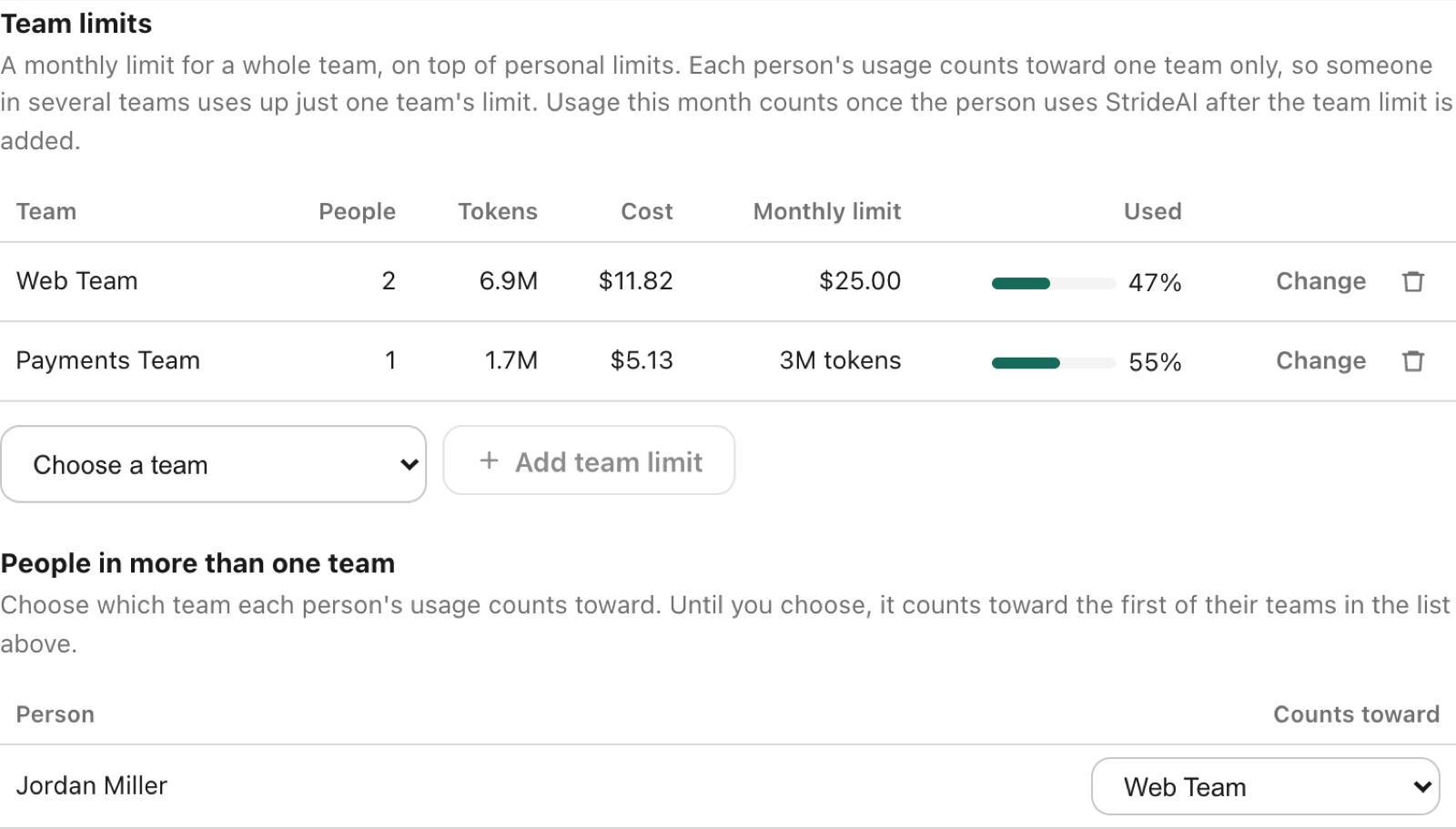
StrideAI has no server of its own, so these limits are applied in each person’s browser. For a hard cap, also set quotas or a budget with your model provider, or use the server-enforced project controls and per-person budgets of a plan.
Ask for more
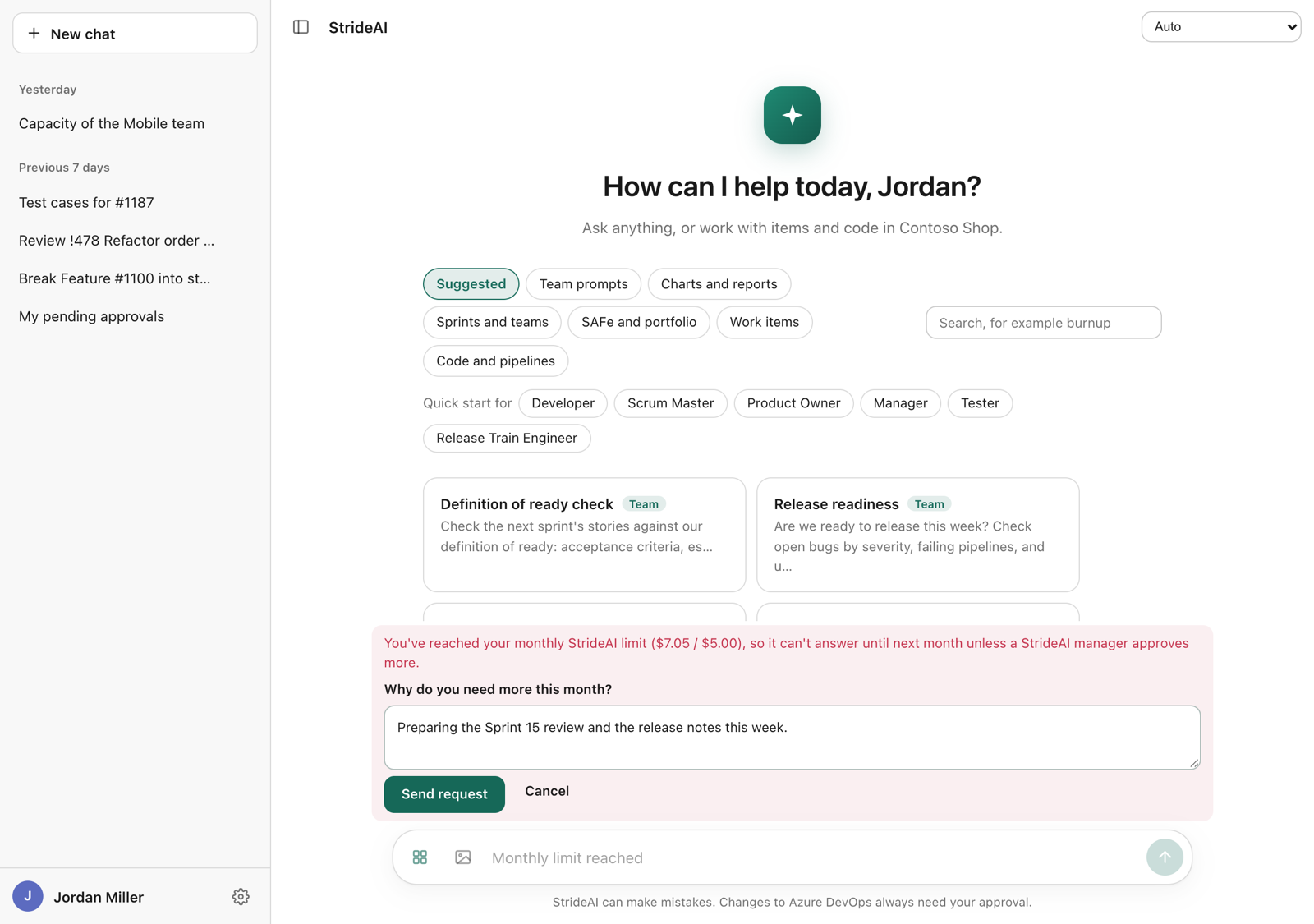
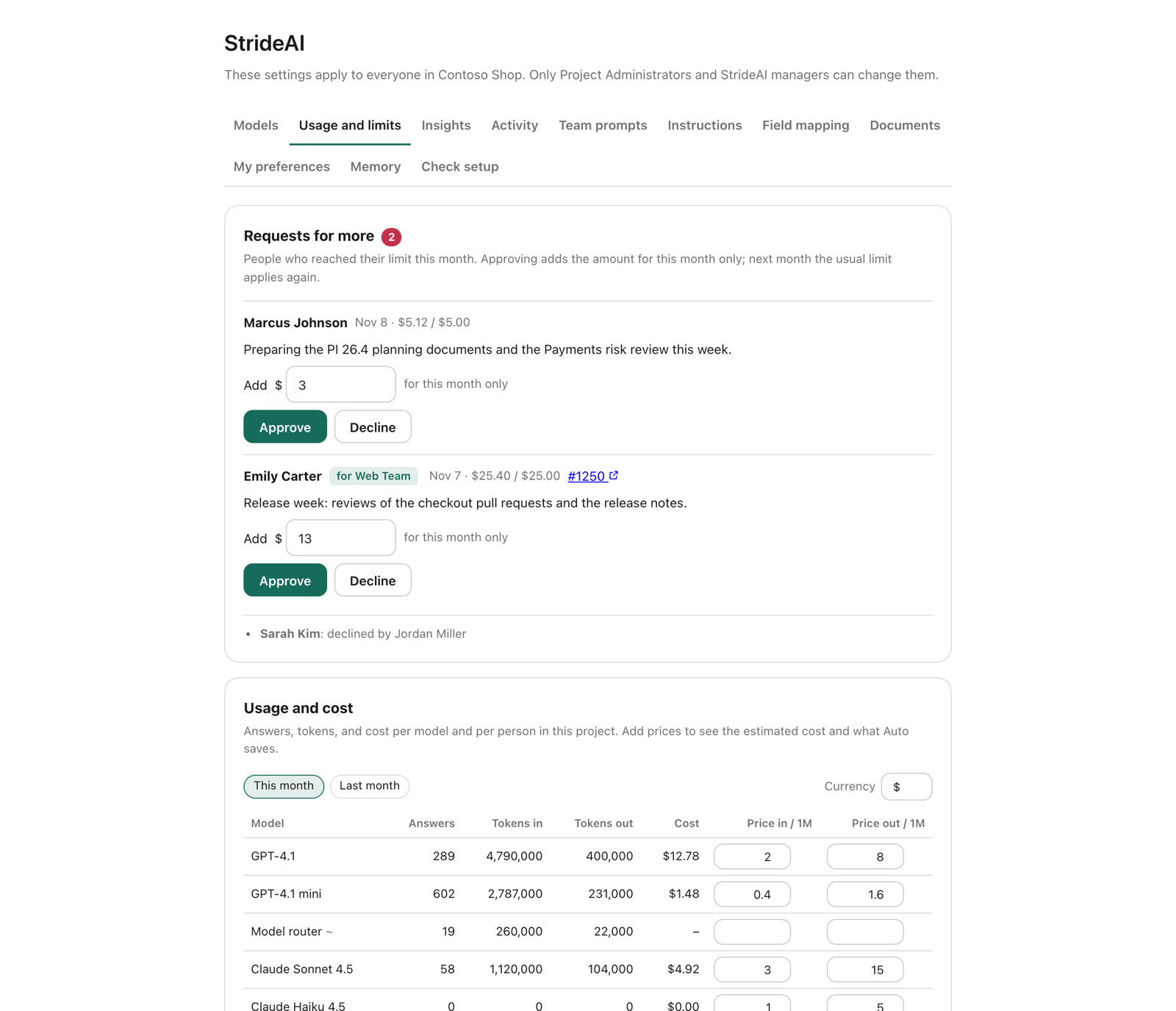
Section titled “Ask for more”When someone reaches their limit, or their team’s, they select Ask for more and say why. StrideAI managers see the waiting requests above the chat and in Usage and limits, and approve an amount for this month only or decline. The answer shows in the requester’s chat, the higher limit applies right away, and next month the usual limit is back. Optionally each request also creates a work item of a type you choose.
Budget alerts
Section titled “Budget alerts”From the 5th of the month, StrideAI continues the last seven days’ pace to the end of the month. When the project’s budget or a team’s limit will run out before then, StrideAI managers see when above the chat and in Insights. The AI budget dashboard widget shows the same.